What is Fusion?
Fusion allows you to merge multiple puzzle pieces into a single piece. This is useful for:
Creating larger, easier-to-handle pieces
Highlighting regions of interest
Reducing complexity for beginners
Creating custom puzzle shapes
Basic Syntax
PILES (Puzzle Input Line Entry System) uses a simple syntax:
1-2Fuse pieces 1 and 2
1-2-3Fuse pieces 1, 2, and 3
1-2,3-4Two groups: (1,2) and (3,4)
1:5Range: pieces 1 through 5
Your First Fusion
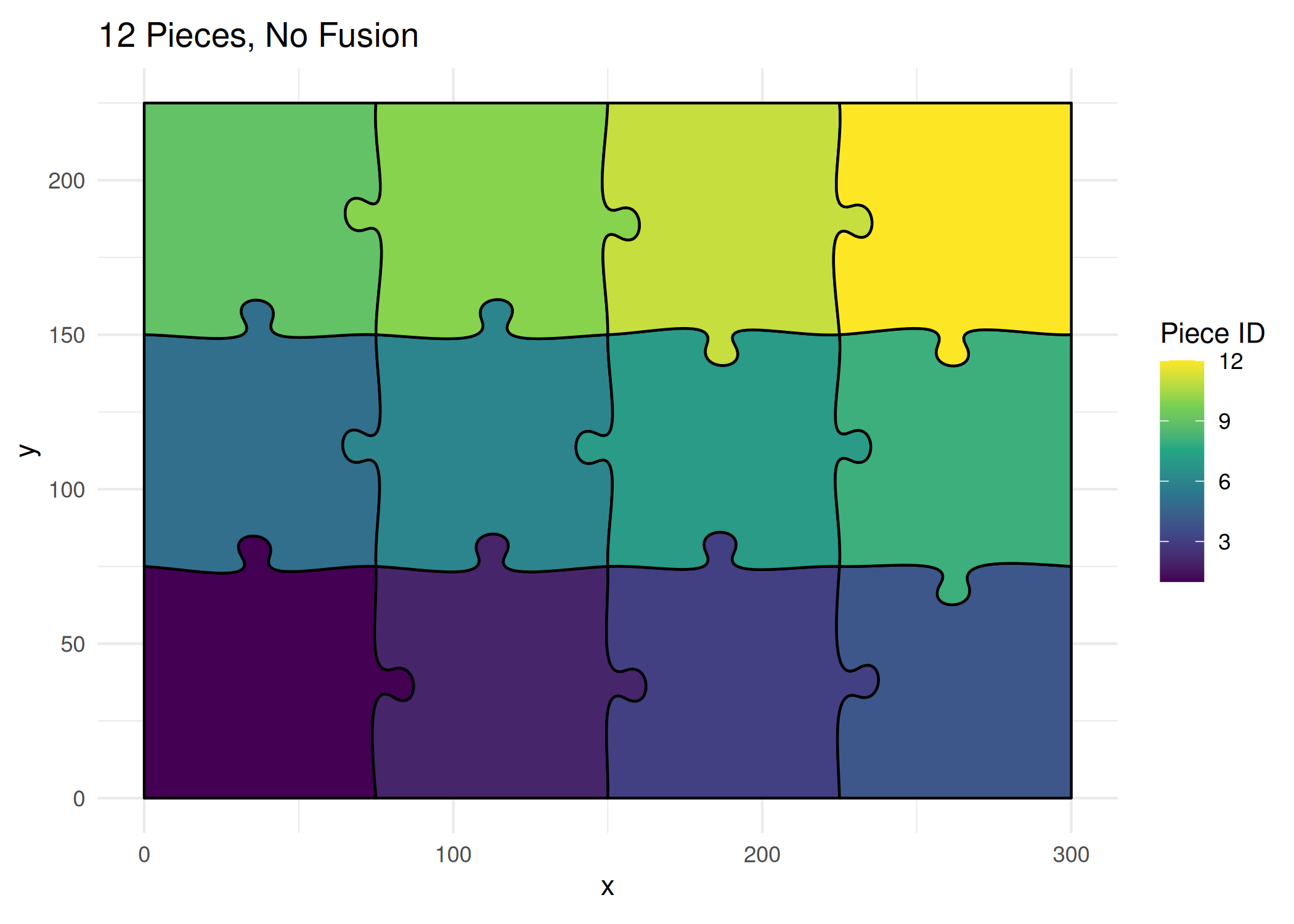
Without Fusion
ggplot () + geom_puzzle_rect (aes (fill = after_stat (piece_id)),cols = 4 , rows = 3 ,width = 300 , height = 225 ,seed = 42 + scale_fill_viridis_c (name = "Piece ID" ) + coord_fixed () + theme_minimal () + labs (title = "12 Pieces, No Fusion" )
<- generate_puzzle (type = "rectangular" ,seed = 42 ,grid = c (3 , 4 ),size = c (225 , 300 ),fill_palette = "viridis" render_puzzle_preview (result)
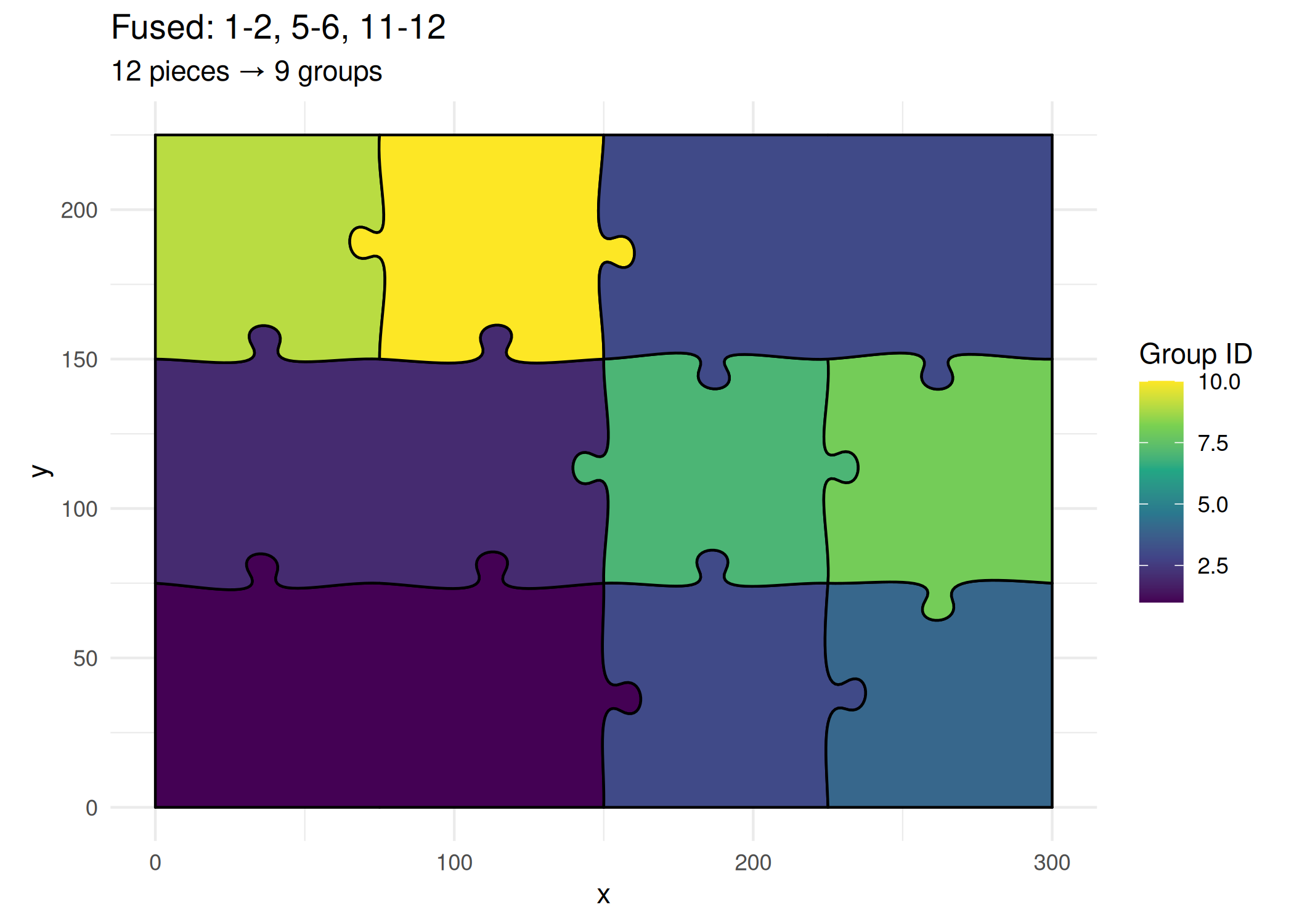
With Fusion
ggplot () + geom_puzzle_rect (aes (fill = after_stat (group_id)),cols = 4 , rows = 3 ,width = 300 , height = 225 ,seed = 42 ,fusion_groups = "1-2,5-6,11-12" + scale_fill_viridis_c (name = "Group ID" ) + coord_fixed () + theme_minimal () + labs (title = "Fused: 1-2, 5-6, 11-12" ,subtitle = "12 pieces → 9 groups"
<- generate_puzzle (type = "rectangular" ,seed = 42 ,grid = c (3 , 4 ),size = c (225 , 300 ),fusion_groups = "1-2,5-6,11-12" ,fill_palette = "viridis" render_puzzle_preview (result)
Understanding Color Scales with Fusion
When verifying that fusion is working correctly, it’s important to understand how different color scales affect the visual result.
Gradient vs Solid Colors
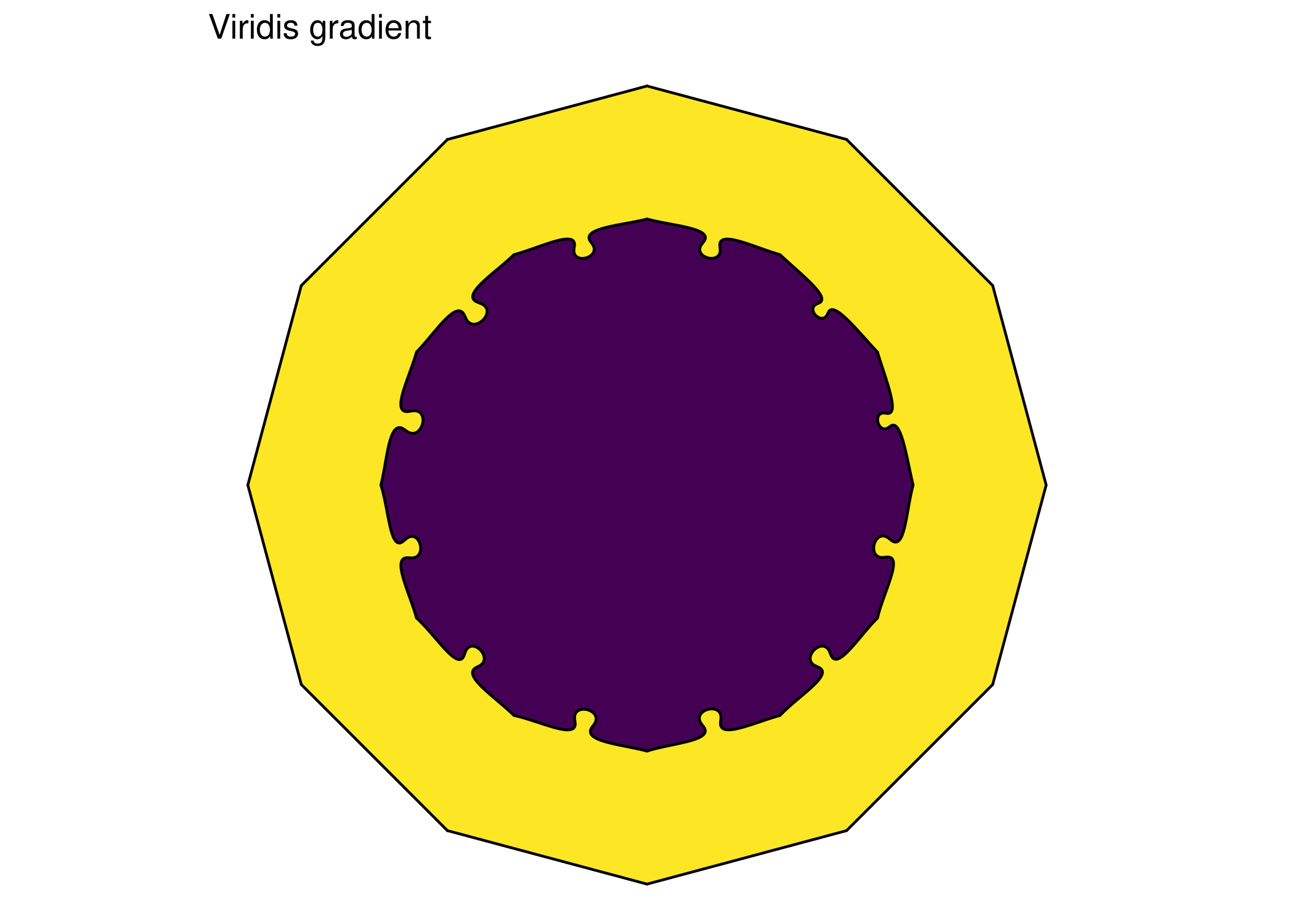
With gradient color scales (like viridis), even when pieces are properly fused, you’ll still see color boundaries between adjacent pieces. These are color transitions—not stroke lines. The fusion is working; you just can’t easily see it because adjacent pieces have different colors in the gradient.
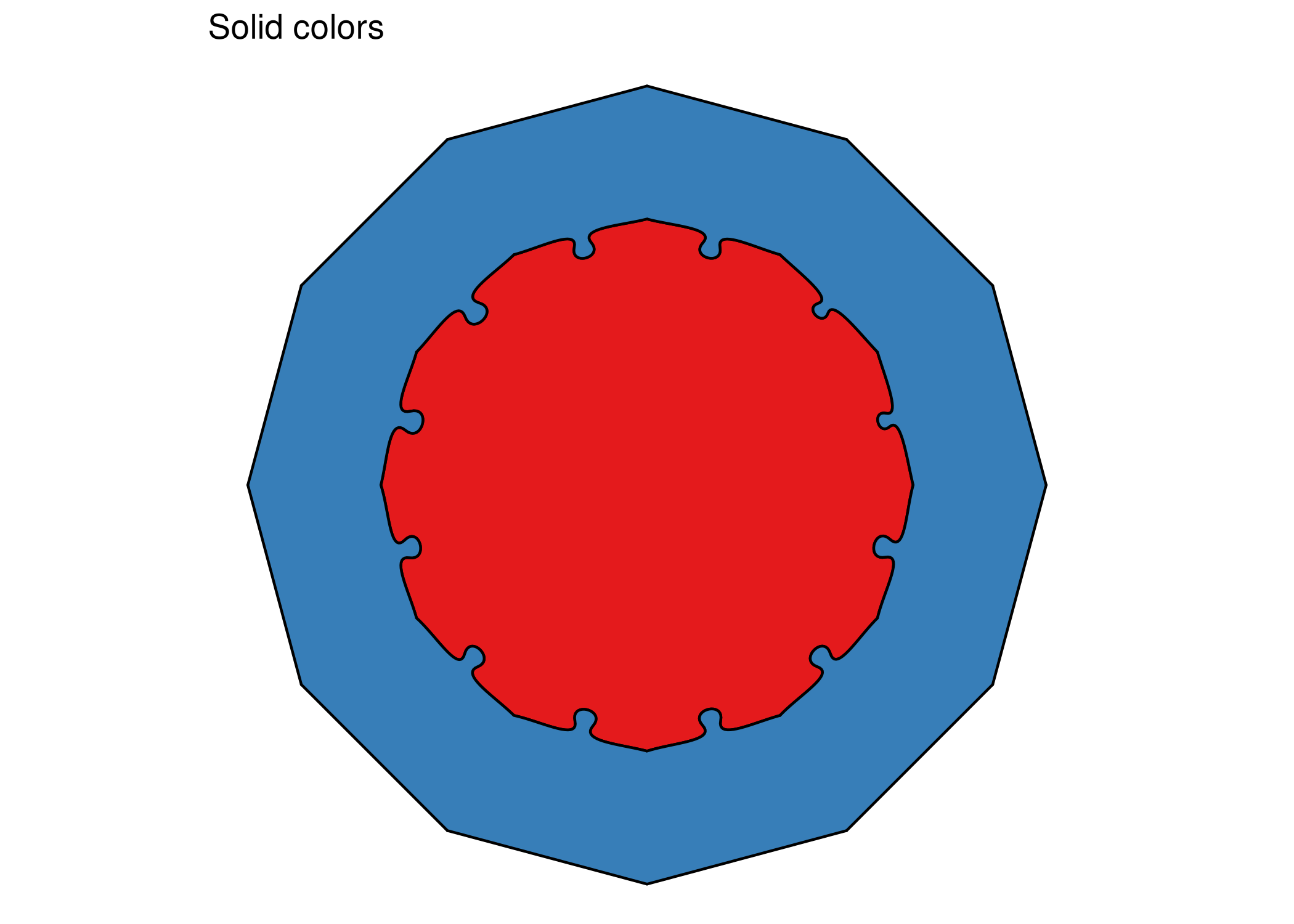
With solid colors , fusion becomes visually obvious—fused pieces share the same color and have no internal boundaries.
# Same fusion, gradient colors - boundaries still visible ggplot () + geom_puzzle_conc (aes (fill = after_stat (group_id)),rings = 3 ,diameter = 200 ,seed = 42 ,fusion_groups = "center-ring1,ring2" + scale_fill_viridis_c (guide = "none" ) + coord_fixed () + theme_void () + labs (title = "Viridis gradient" )# Same fusion, solid colors - fusion is obvious ggplot () + geom_puzzle_conc (aes (fill = after_stat (factor (group_id))),rings = 3 ,diameter = 200 ,seed = 42 ,fusion_groups = "center-ring1,ring2" + scale_fill_manual (values = c ("1" = "#E41A1C" , "2" = "#377EB8" , "3" = "#4DAF4A" ),guide = "none" + coord_fixed () + theme_void () + labs (title = "Solid colors" )
If you’re unsure whether fusion is working, temporarily switch to solid colors with scale_fill_manual(). If internal edges disappear, fusion is working correctly—the “edges” you see with gradients are just color boundaries.
Piece Numbering
Understanding how pieces are numbered is essential for fusion.
Rectangular Numbering
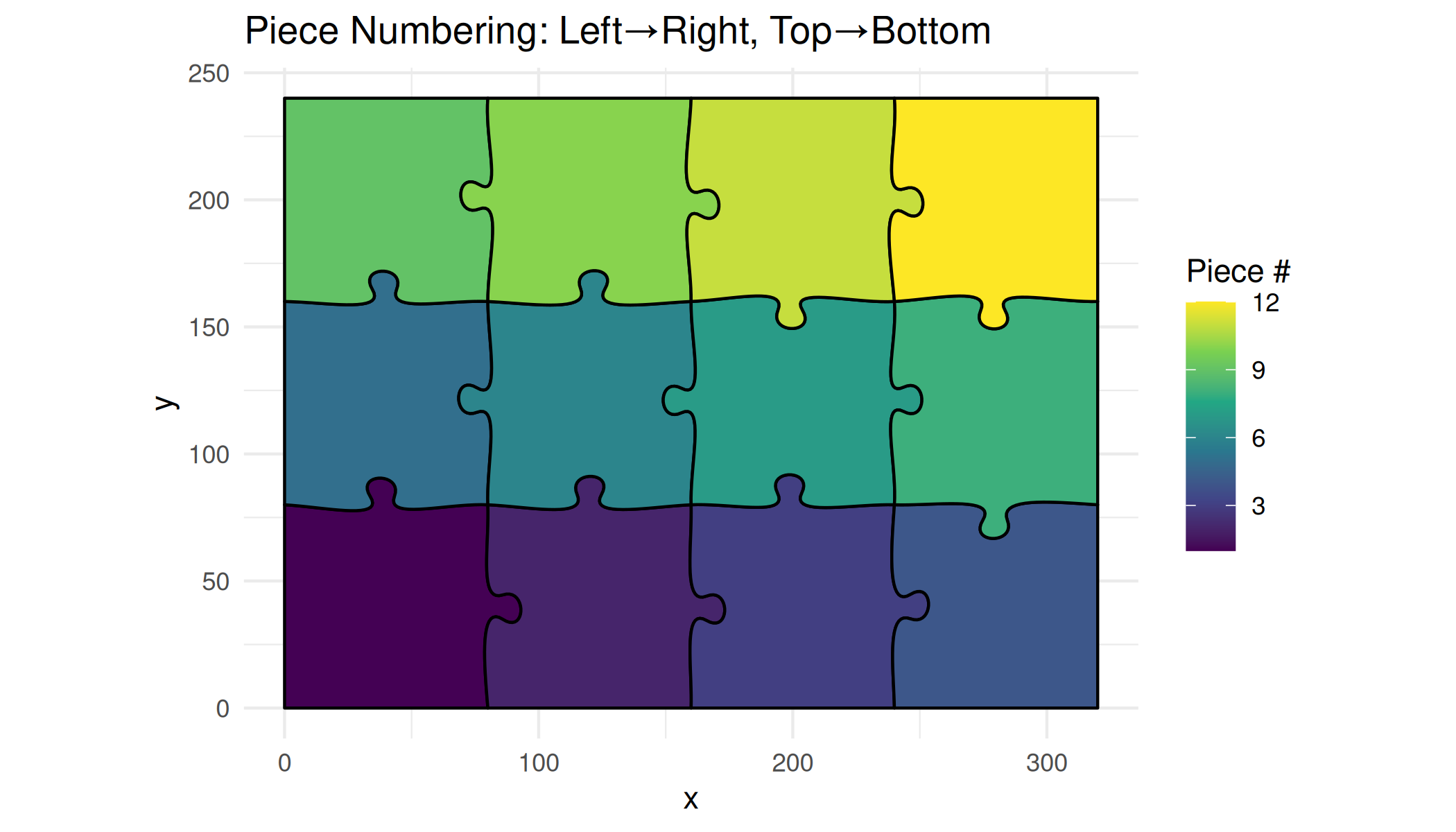
Pieces are numbered left-to-right, top-to-bottom:
 1  2  3  4
 5  6  7  8
 9 10 11 12
# Show piece numbers visually ggplot () + geom_puzzle_rect (aes (fill = after_stat (piece_id)),cols = 4 , rows = 3 ,width = 320 , height = 240 ,seed = 42 + scale_fill_viridis_c (name = "Piece #" ) + coord_fixed () + theme_minimal () + labs (title = "Piece Numbering: Left→Right, Top→Bottom" )
Hexagonal Numbering
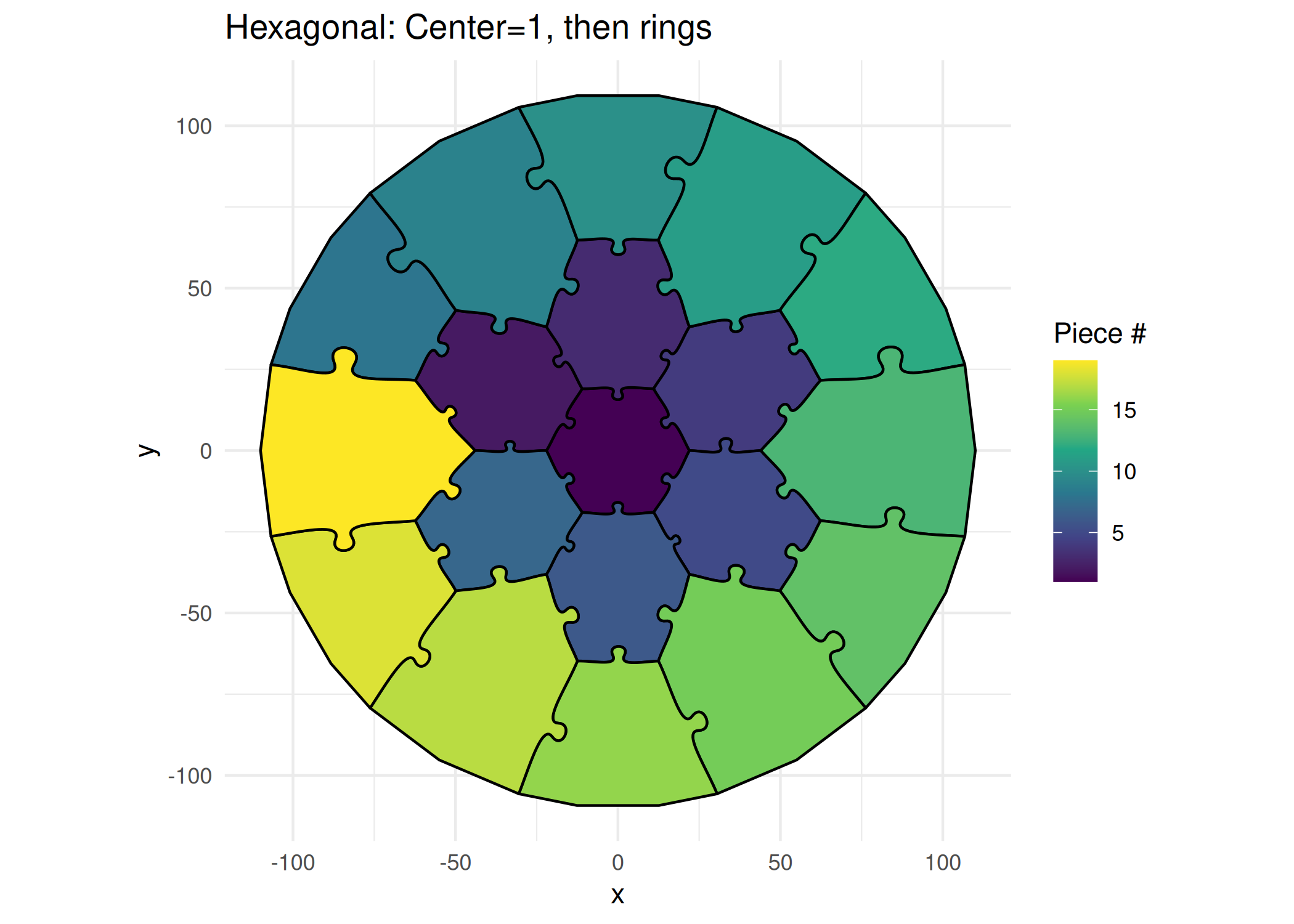
Center is 1, then outward in rings:
ggplot () + geom_puzzle_hex (aes (fill = after_stat (piece_id)),rings = 3 , diameter = 220 , seed = 42 + scale_fill_viridis_c (name = "Piece #" ) + coord_fixed () + theme_minimal () + labs (title = "Hexagonal: Center=1, then rings" )
Fusion Examples
Fuse Adjacent Pairs
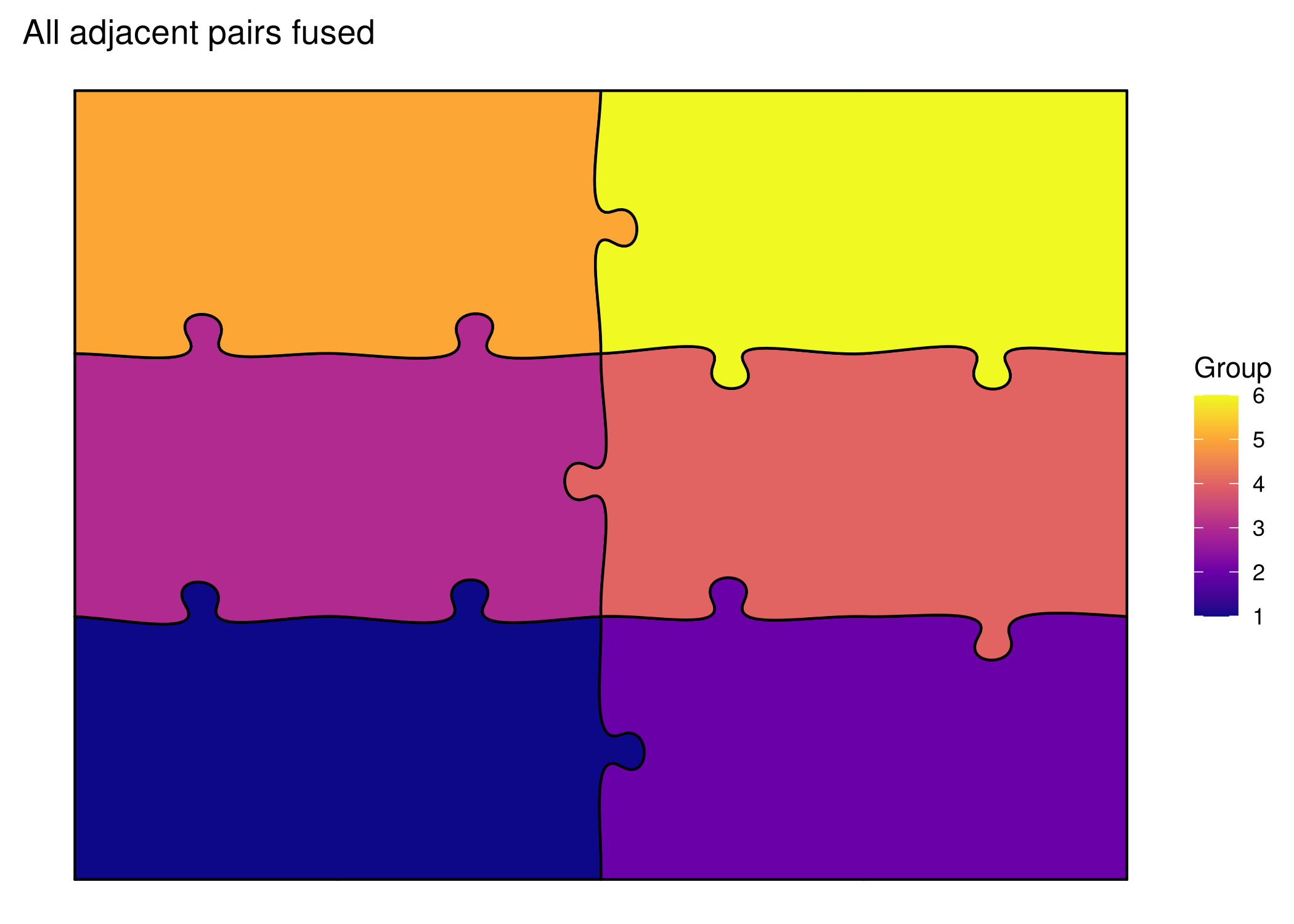
ggplot () + geom_puzzle_rect (aes (fill = after_stat (group_id)),cols = 4 , rows = 3 ,width = 300 , height = 225 ,seed = 42 ,fusion_groups = "1-2,3-4,5-6,7-8,9-10,11-12" + scale_fill_viridis_c (option = "plasma" , name = "Group" ) + coord_fixed () + theme_puzzle () + labs (title = "All adjacent pairs fused" )
<- generate_puzzle (type = "rectangular" ,seed = 42 ,grid = c (3 , 4 ),size = c (225 , 300 ),fusion_groups = "1-2,3-4,5-6,7-8,9-10,11-12" ,fill_palette = "plasma" render_puzzle_preview (result)
Fuse Rows
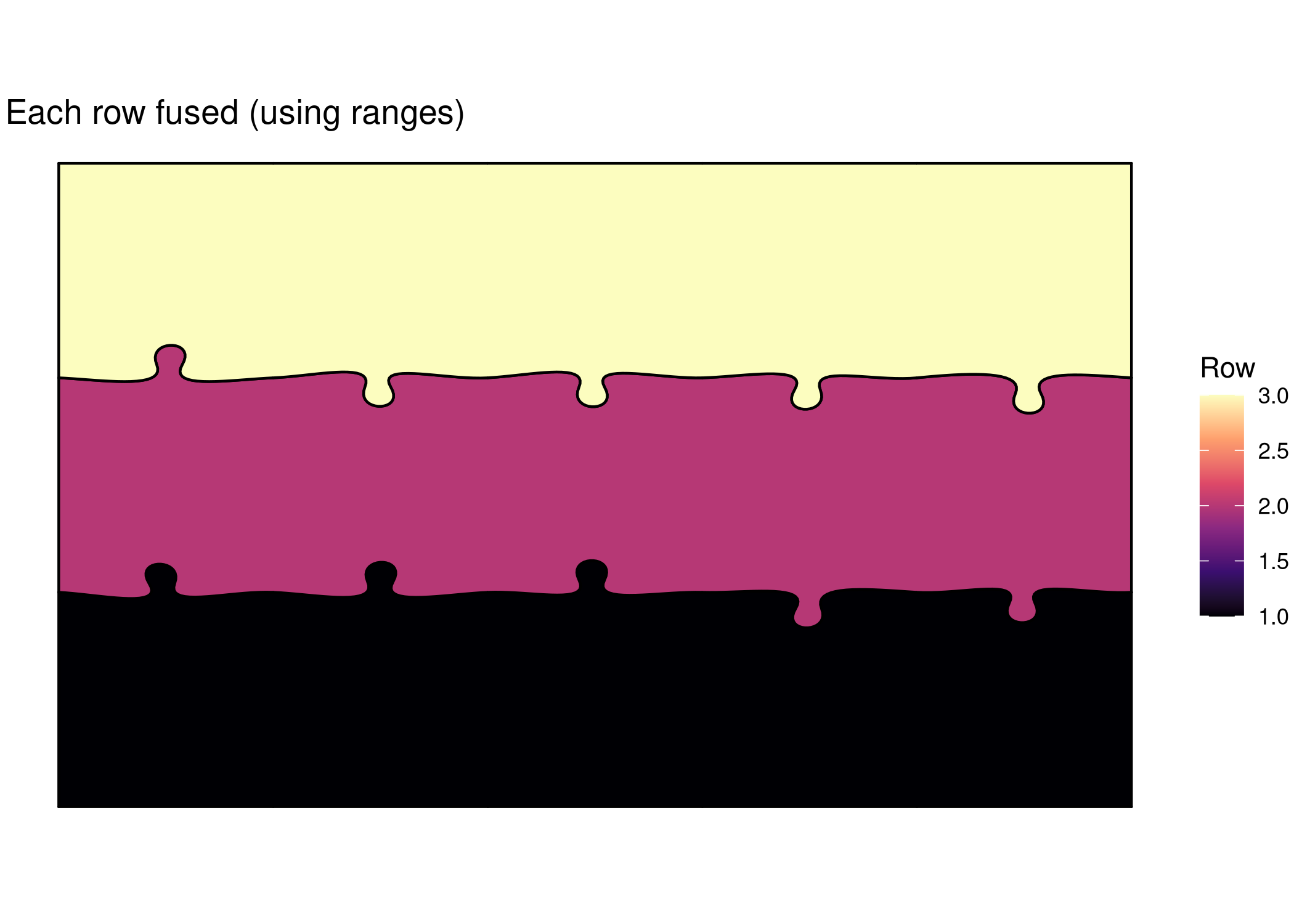
ggplot () + geom_puzzle_rect (aes (fill = after_stat (group_id)),cols = 5 , rows = 3 ,width = 350 , height = 210 ,seed = 42 ,fusion_groups = "1:5,6:10,11:15" # Ranges for each row + scale_fill_viridis_c (option = "magma" , name = "Row" ) + coord_fixed () + theme_puzzle () + labs (title = "Each row fused (using ranges)" )
<- generate_puzzle (type = "rectangular" ,seed = 42 ,grid = c (3 , 5 ),size = c (210 , 350 ),fusion_groups = "1:5,6:10,11:15" , # Ranges for each row fill_palette = "magma" render_puzzle_preview (result)
Using Row Keywords
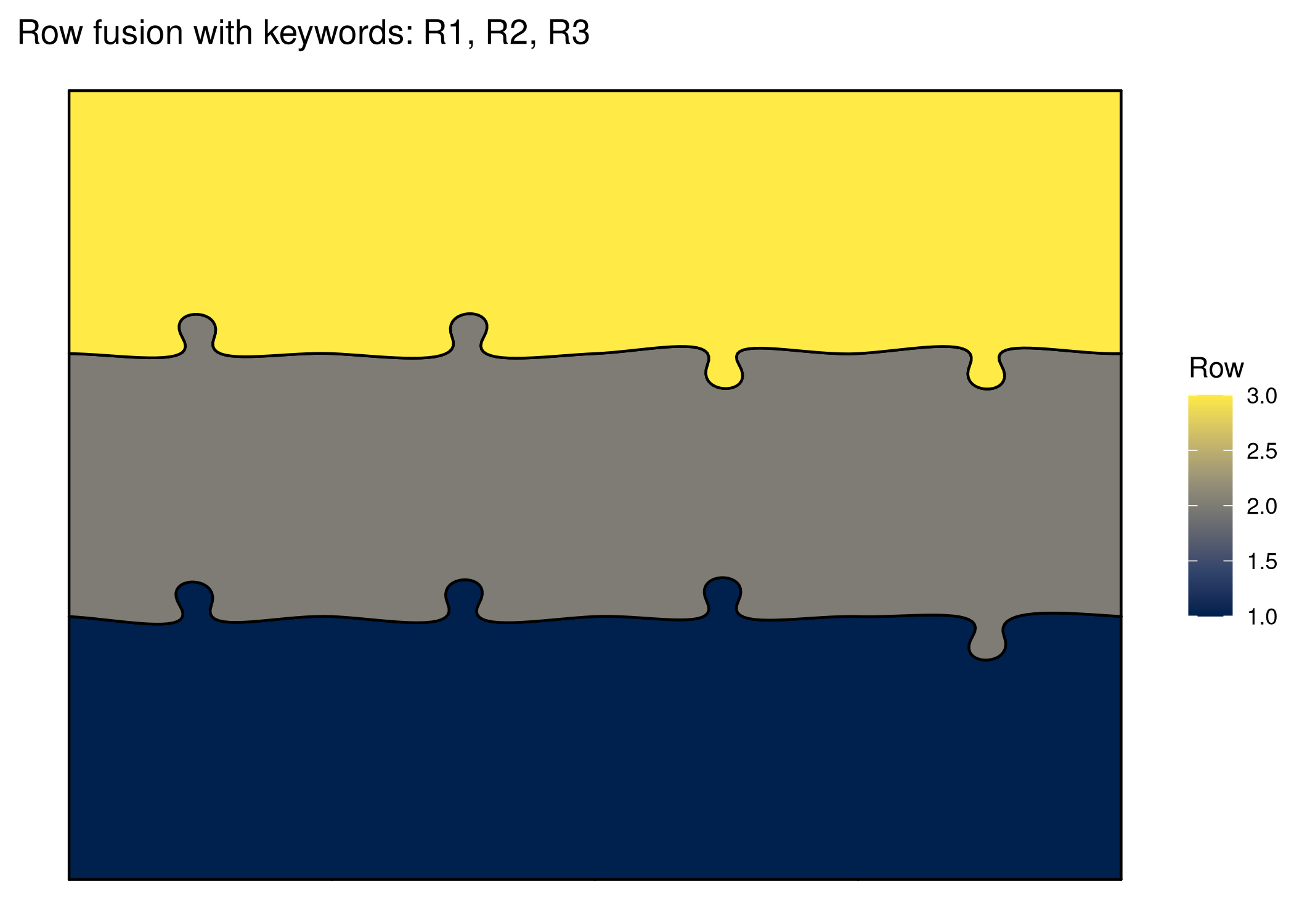
# R1, R2, R3 keywords for rows ggplot () + geom_puzzle_rect (aes (fill = after_stat (group_id)),cols = 4 , rows = 3 ,width = 280 , height = 210 ,seed = 42 ,fusion_groups = "R1,R2,R3" + scale_fill_viridis_c (option = "cividis" , name = "Row" ) + coord_fixed () + theme_puzzle () + labs (title = "Row fusion with keywords: R1, R2, R3" )
<- generate_puzzle (type = "rectangular" ,seed = 42 ,grid = c (3 , 4 ),size = c (210 , 280 ),fusion_groups = "R1,R2,R3" ,fill_palette = "cividis" render_puzzle_preview (result)
Hexagonal Keywords
Special keywords for hexagonal puzzles:
Center + Ring1
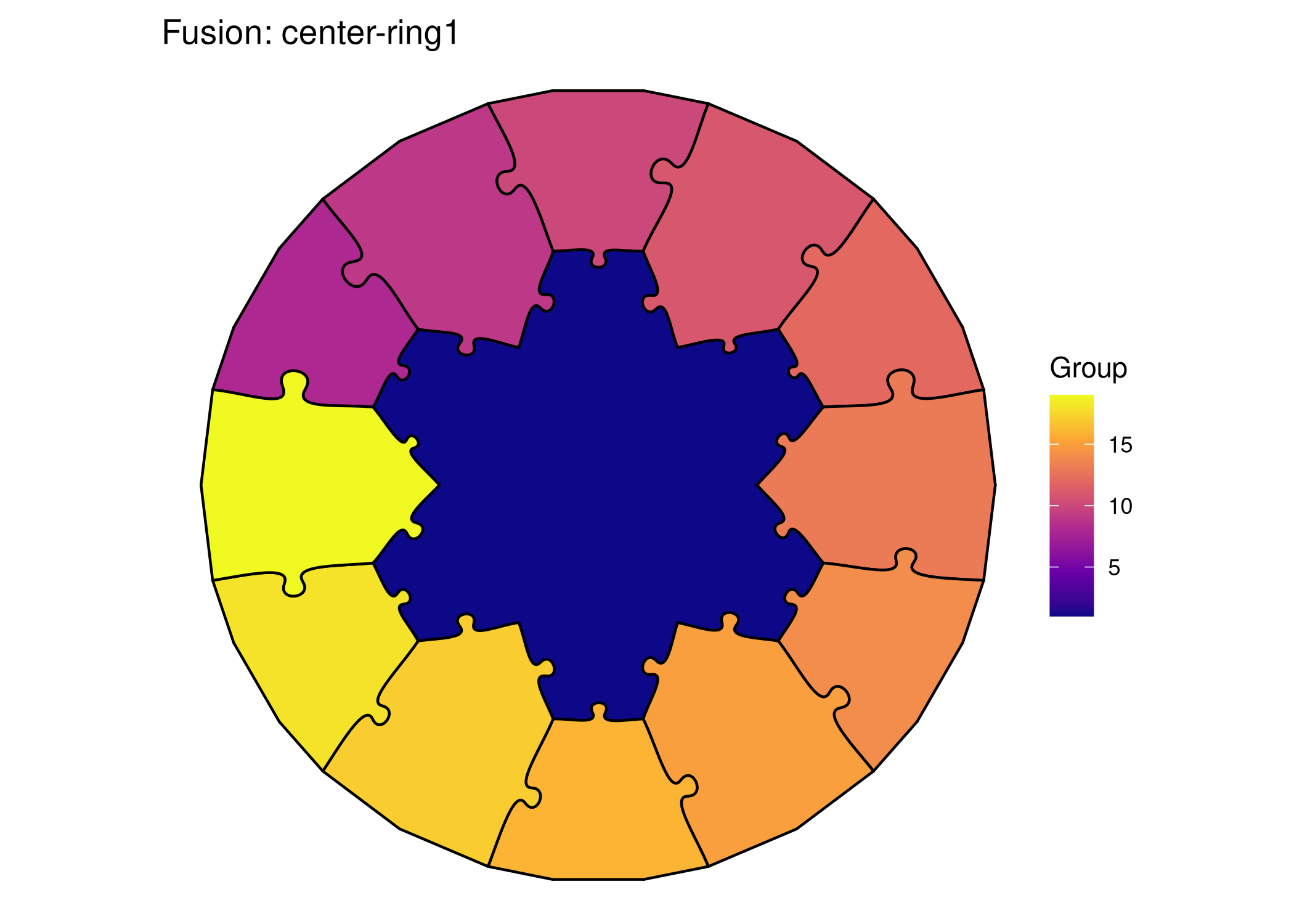
ggplot () + geom_puzzle_hex (aes (fill = after_stat (group_id)),rings = 3 , diameter = 220 , seed = 42 ,fusion_groups = "center-ring1" + scale_fill_viridis_c (option = "plasma" , name = "Group" ) + coord_fixed () + theme_puzzle () + labs (title = "Fusion: center-ring1" )
<- generate_puzzle (type = "hexagonal" ,seed = 42 ,grid = c (3 ),size = c (220 ),fusion_groups = "center-ring1" ,fill_palette = "plasma" render_puzzle_preview (result)
Ring2 Only
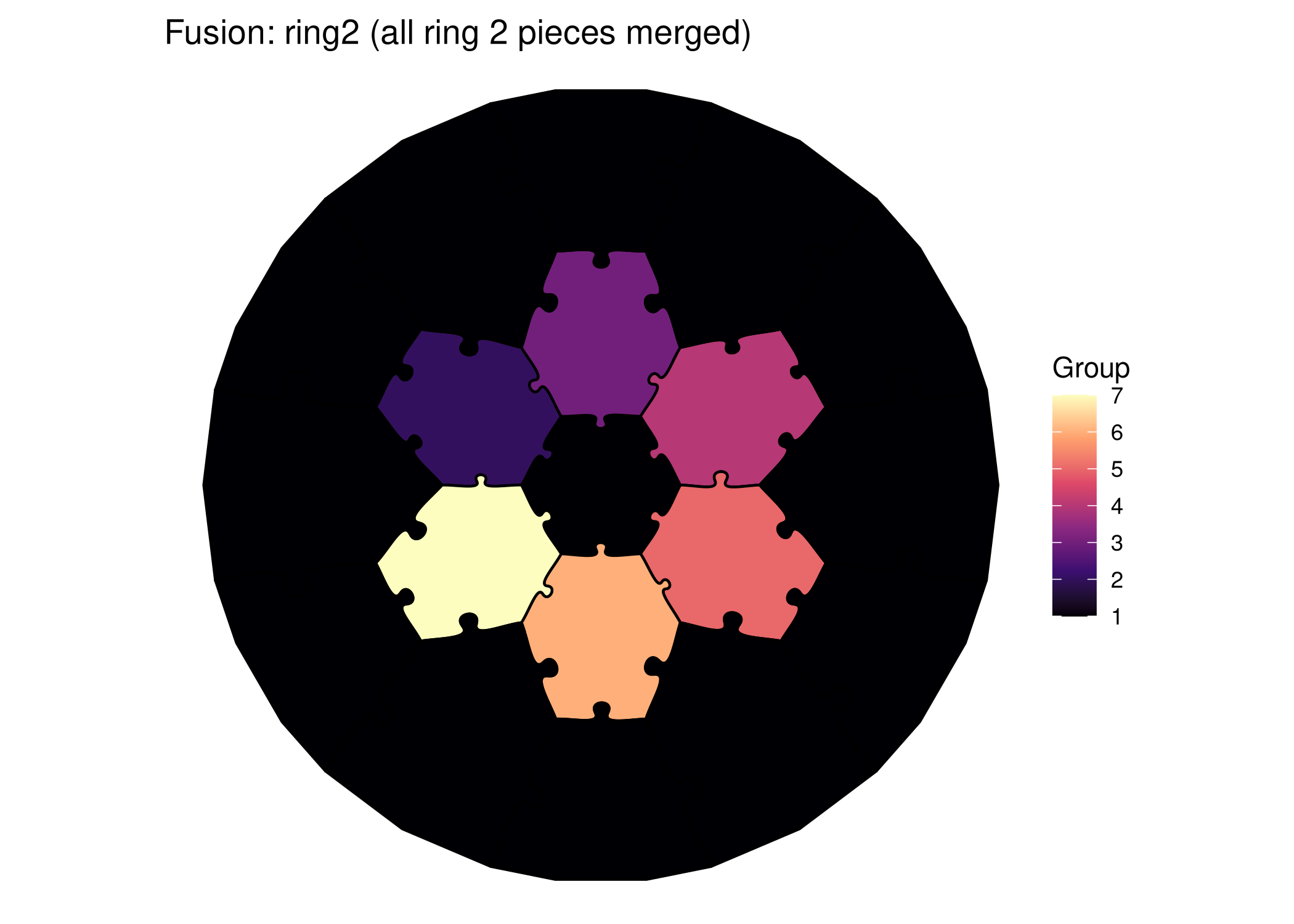
ggplot () + geom_puzzle_hex (aes (fill = after_stat (group_id)),rings = 3 , diameter = 220 , seed = 42 ,fusion_groups = "ring2" + scale_fill_viridis_c (option = "magma" , name = "Group" ) + coord_fixed () + theme_puzzle () + labs (title = "Fusion: ring2 (all ring 2 pieces merged)" )
Multiple Ring Keywords
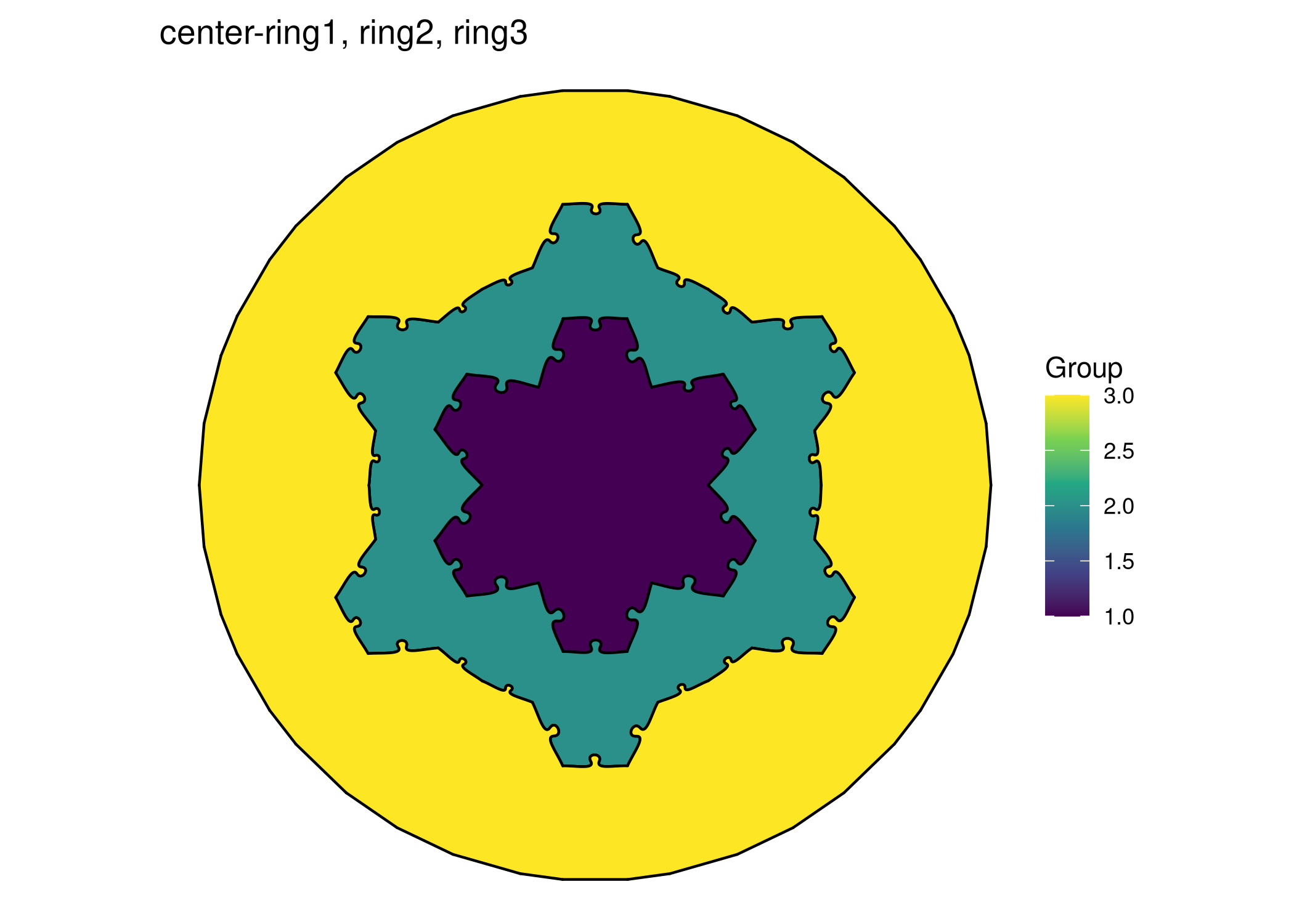
ggplot () + geom_puzzle_hex (aes (fill = after_stat (group_id)),rings = 4 , diameter = 280 , seed = 42 ,fusion_groups = "center-ring1,ring2,ring3" + scale_fill_viridis_c (option = "viridis" , name = "Group" ) + coord_fixed () + theme_puzzle () + labs (title = "center-ring1, ring2, ring3" )
Keyword Reference
Rectangular Keywords
R1All pieces in row 1 (top)
R2All pieces in row 2
RNAll pieces in row N
C1All pieces in column 1 (left)
CNAll pieces in column N
boundaryAll edge pieces
Hexagonal Keywords
centerPiece 1 (center)
ring1All pieces in ring 1
ringNAll pieces in ring N
boundaryOutermost ring
Combining Notations
You can mix numeric IDs, ranges, and keywords:
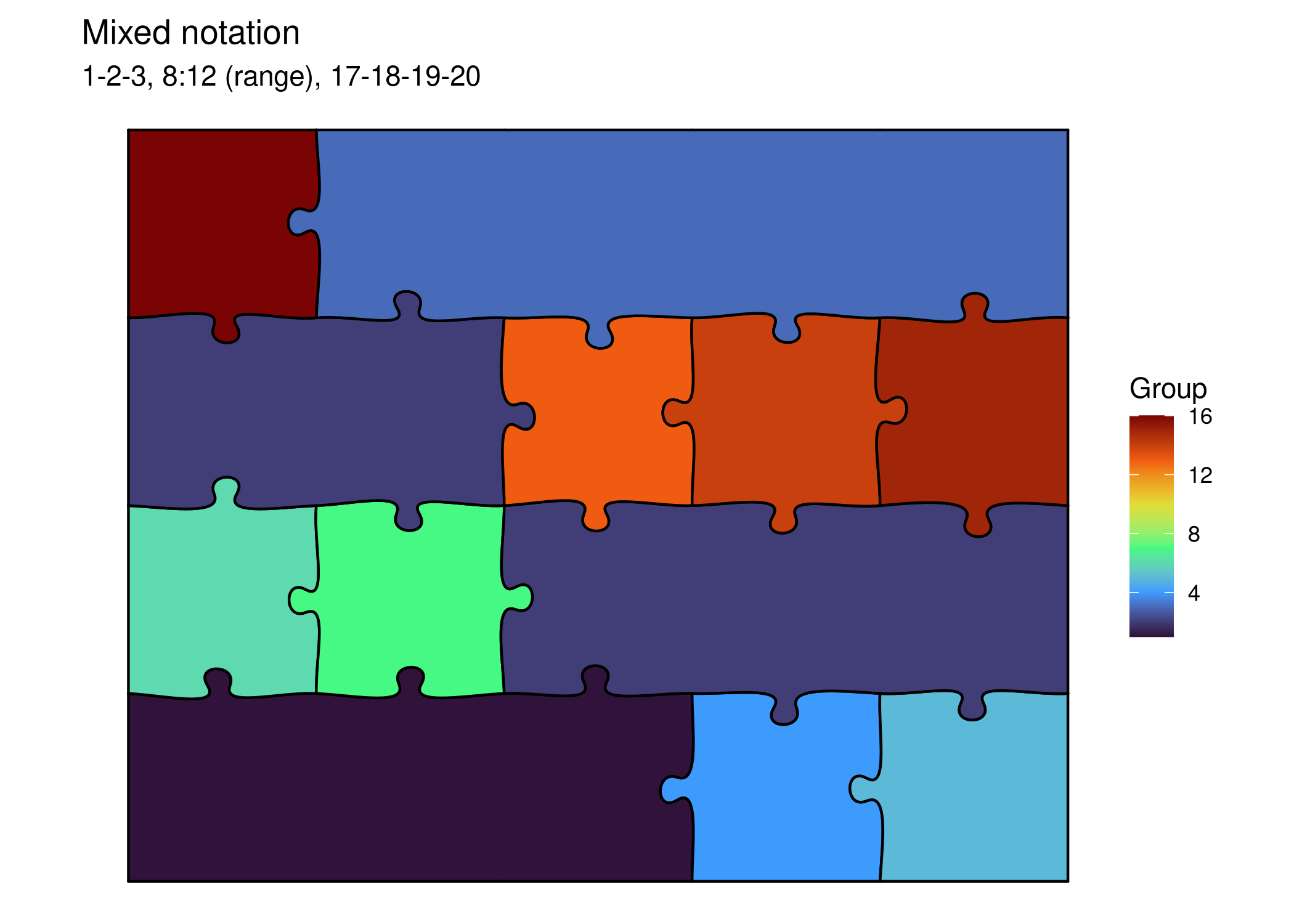
# Mix of IDs and ranges ggplot () + geom_puzzle_rect (aes (fill = after_stat (group_id)),cols = 5 , rows = 4 ,width = 350 , height = 280 ,seed = 42 ,fusion_groups = "1-2-3,8:12,17-18-19-20" + scale_fill_viridis_c (option = "turbo" , name = "Group" ) + coord_fixed () + theme_puzzle () + labs (title = "Mixed notation" ,subtitle = "1-2-3, 8:12 (range), 17-18-19-20"
Validation
Always validate your PILES strings:
# Valid syntax validate_piles_syntax ("1-2-3,4-5" )#> $valid #> [1] TRUE #> #> $message #> [1] "Valid PILES syntax" #> #> $warnings #> character(0) validate_piles_syntax ("1:10,20-21" )#> $valid #> [1] TRUE #> #> $message #> [1] "Valid PILES syntax" #> #> $warnings #> character(0) # Invalid syntax validate_piles_syntax ("1-2(-3)" ) # FALSE #> $valid #> [1] TRUE #> #> $message #> [1] "Valid PILES syntax" #> #> $warnings #> character(0)
Programmatic Fusion
Parse PILES to List
<- parse_piles ("1-2-3,4-5,6:8" )print (groups)#> [[1]] #> [1] 1 2 3 #> #> [[2]] #> [1] 4 5 #> #> [[3]] #> [1] 6 7 8
Convert List to PILES
<- list (c (1 , 2 , 3 ), c (4 , 5 ), c (10 , 11 , 12 ))<- to_piles (my_groups)print (notation)#> [1] "1:3,4-5,10:12"
Creative Applications
Highlight a Region
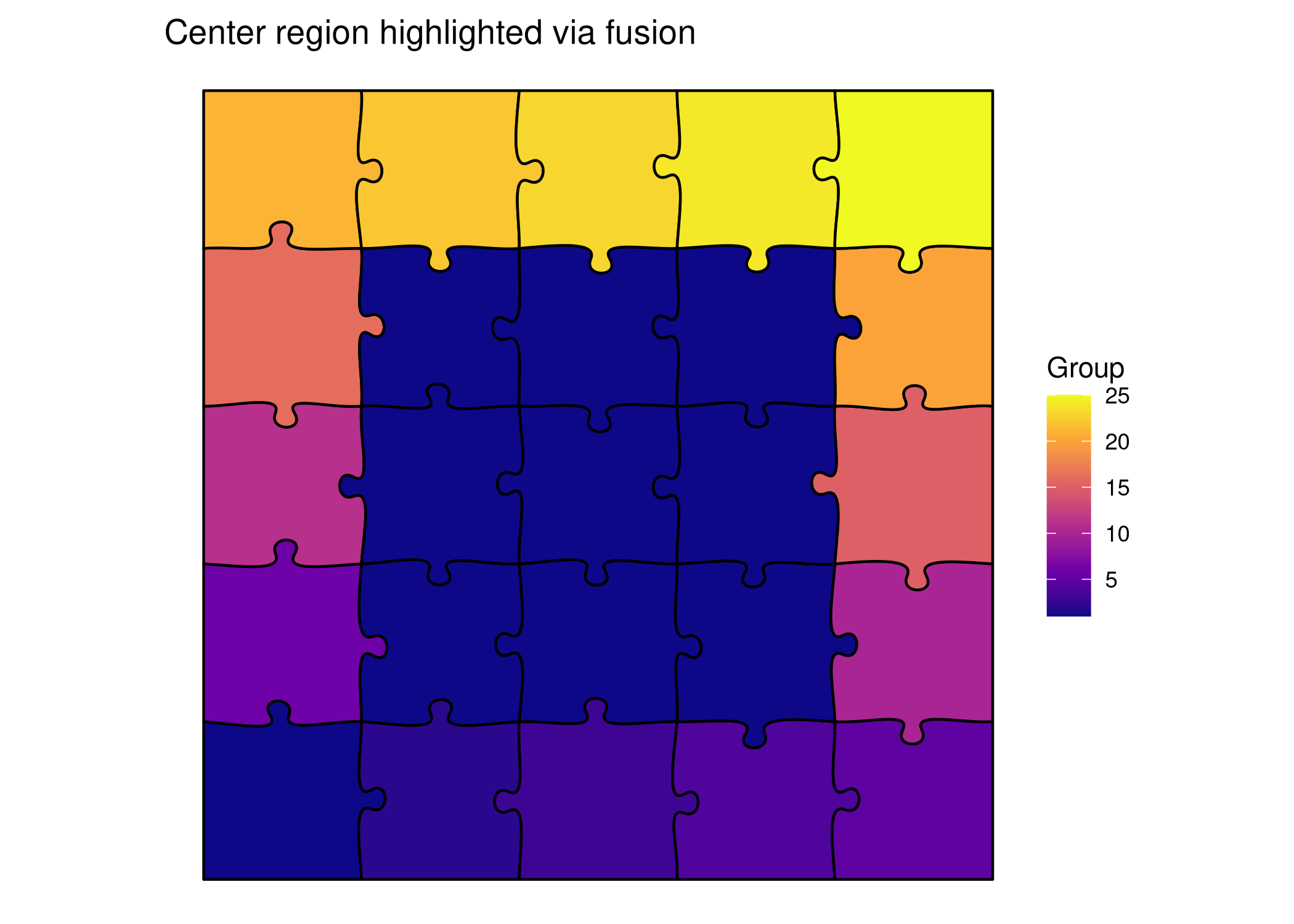
# Fuse center area to highlight it ggplot () + geom_puzzle_rect (aes (fill = after_stat (group_id)),cols = 5 , rows = 5 ,width = 300 , height = 300 ,seed = 42 ,fusion_groups = "7-8-9-12-13-14-17-18-19" # 3x3 center + scale_fill_viridis_c (option = "plasma" , name = "Group" ) + coord_fixed () + theme_puzzle () + labs (title = "Center region highlighted via fusion" )
<- generate_puzzle (type = "rectangular" ,seed = 42 ,grid = c (5 , 5 ),size = c (300 , 300 ),fusion_groups = "7-8-9-12-13-14-17-18-19" , # 3x3 center fill_palette = "plasma" render_puzzle_preview (result)
Create Difficulty Levels
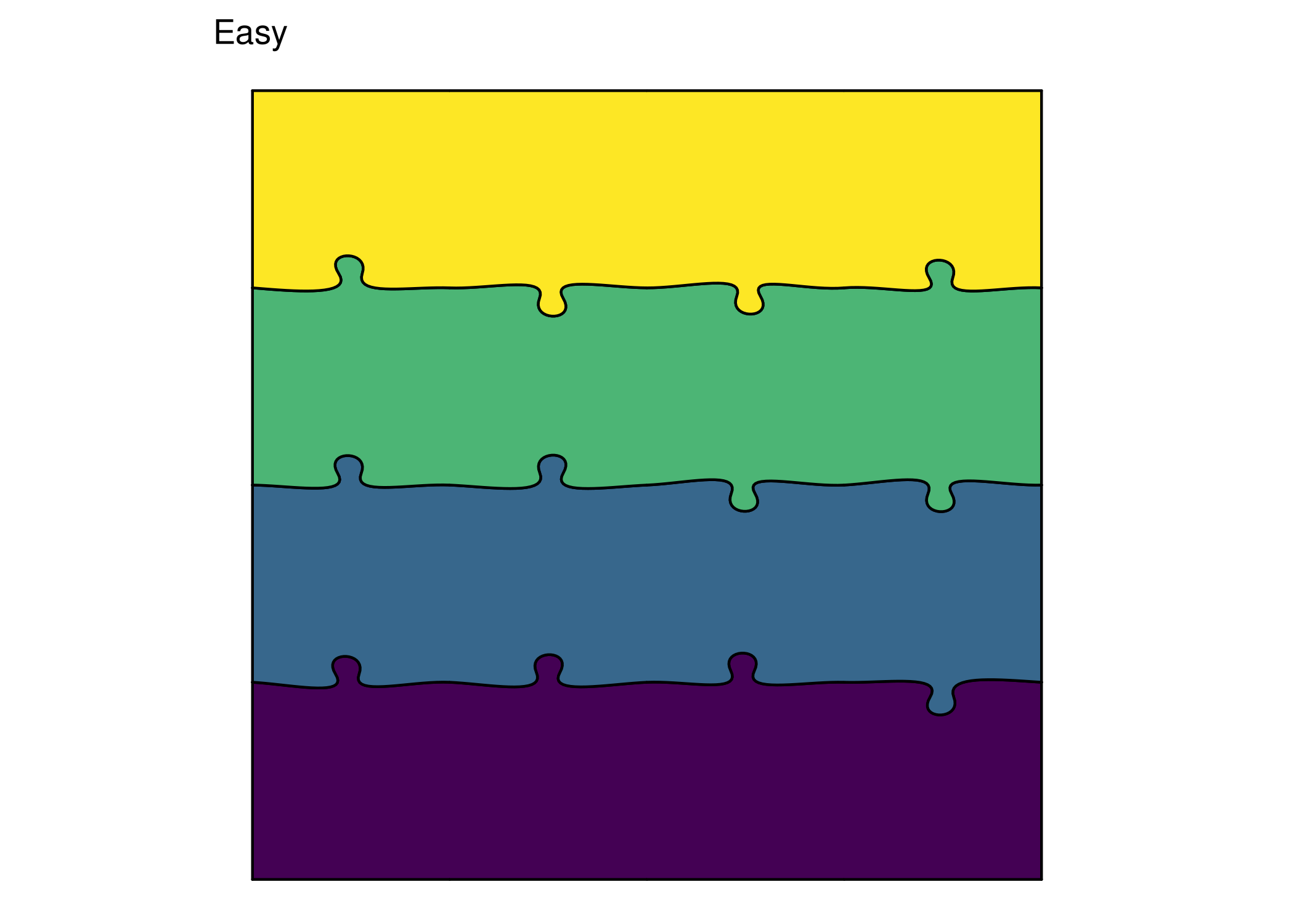
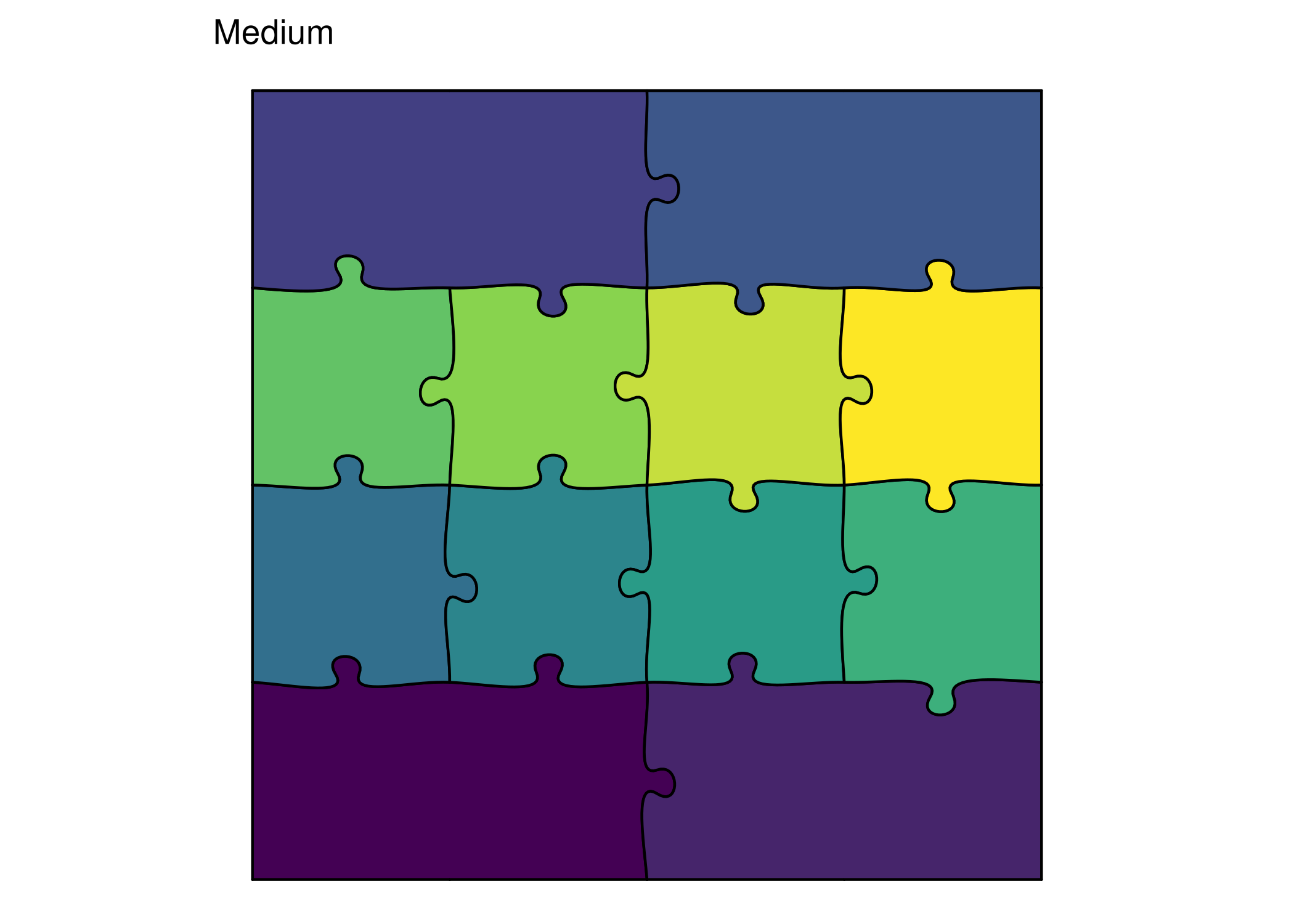
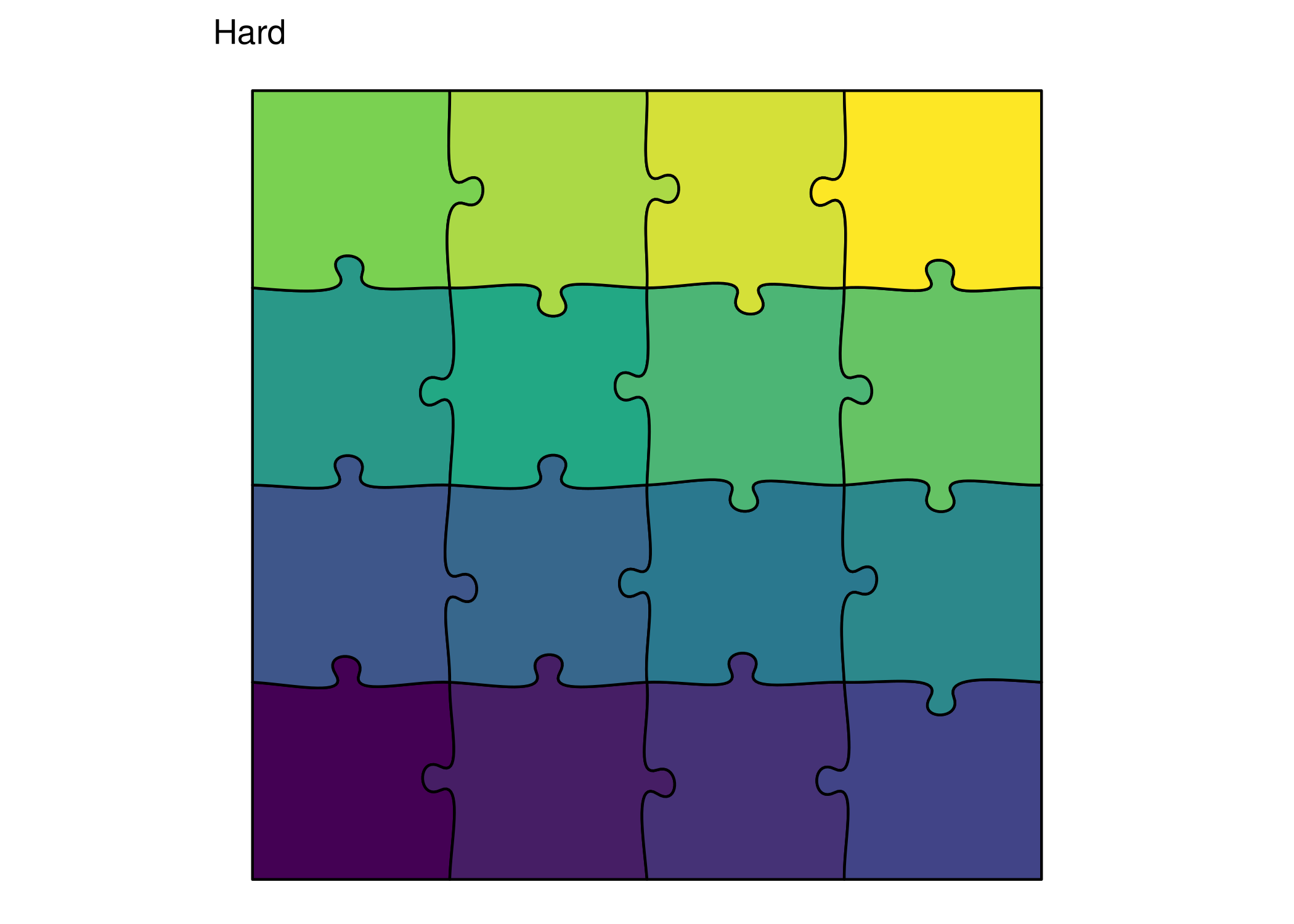
# Easy - lots of fusion print (ggplot () + geom_puzzle_rect (aes (fill = after_stat (group_id)),cols = 4 , rows = 4 ,width = 180 , height = 180 ,seed = 42 ,fusion_groups = "1:4,5:8,9:12,13:16" + scale_fill_viridis_c (guide = "none" ) + coord_fixed () + theme_puzzle () + labs (title = "Easy" ))# Medium - some fusion print (ggplot () + geom_puzzle_rect (aes (fill = after_stat (group_id)),cols = 4 , rows = 4 ,width = 180 , height = 180 ,seed = 42 ,fusion_groups = "1-2,3-4,13-14,15-16" + scale_fill_viridis_c (guide = "none" ) + coord_fixed () + theme_puzzle () + labs (title = "Medium" ))# Hard - no fusion print (ggplot () + geom_puzzle_rect (aes (fill = after_stat (piece_id)),cols = 4 , rows = 4 ,width = 180 , height = 180 ,seed = 42 + scale_fill_viridis_c (guide = "none" ) + coord_fixed () + theme_puzzle () + labs (title = "Hard" ))
Summary
You’ve learned:
✅ Basic PILES syntax (hyphens, commas, ranges)
✅ Piece numbering for different puzzle types
✅ Using keywords (R1, ring1, center, boundary)
✅ Mixing notations for complex patterns
✅ Validating and programmatic manipulation
✅ Creative applications of fusion